


sold by/Vendor ▸▸▸ Cloud Coffee
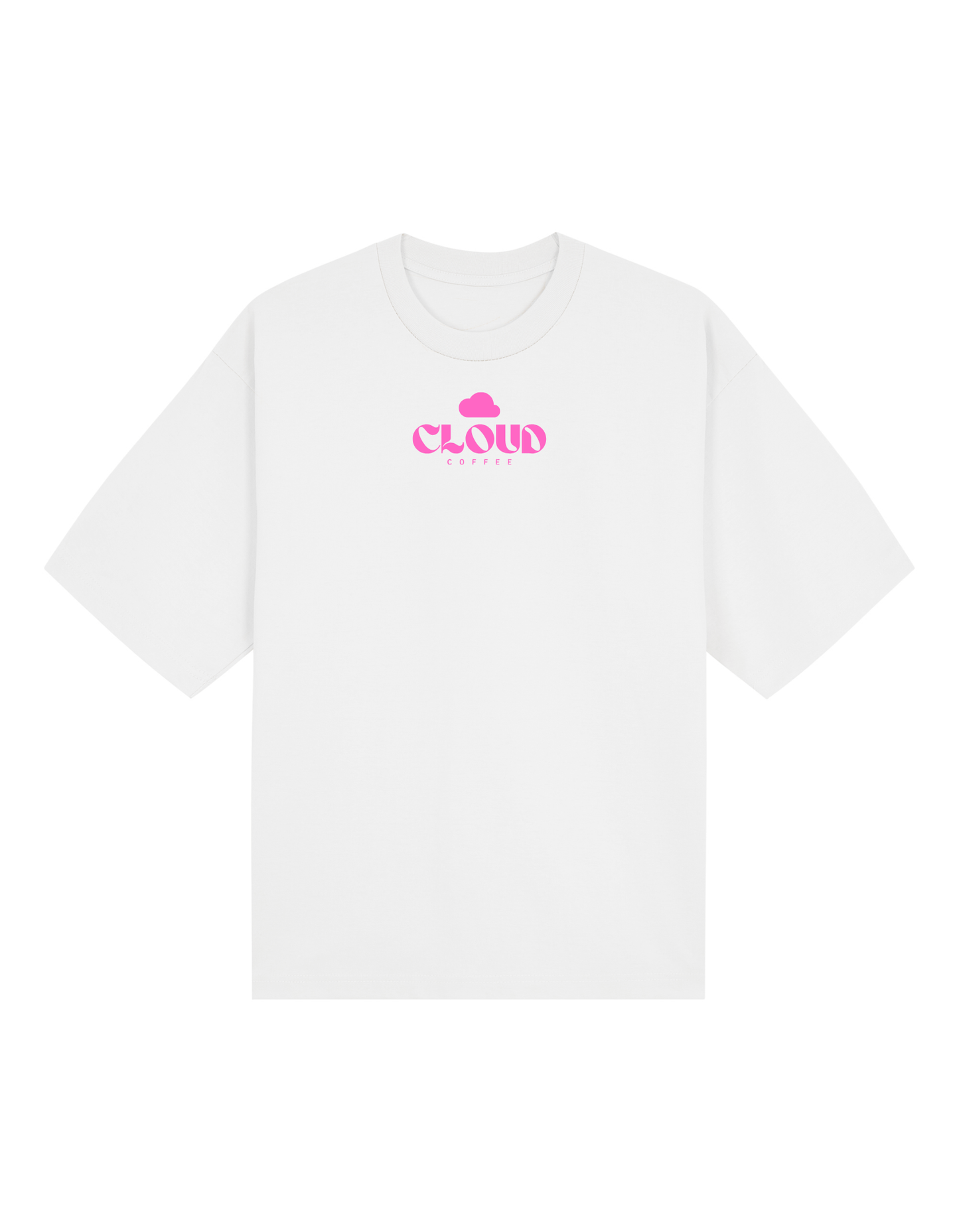
Magsaysay Night Shift Tee — White (Black / Pink Print)
Magsaysay Night Shift Tee — White (Black / Pink Print)
Couldn't load pickup availability
Built for the late nights.
The Magsaysay Night Shift Tee is inspired by the rhythm of Naga after dark—coffee runs, conversations, and everything that happens in between.
Featuring bold typography and illustrated café elements, this design reflects the energy of the night shift culture around Cloud Coffee.
Printed on an oversized white tee, it comes in two variations: a clean black print for a minimal look, and a vibrant pink version for a louder statement.
Designed for comfort, made for the moments that don’t clock out.
Night shift, 4400.
[SHIRT TYPE FOR SIZE CHART: 03 - Pro Club Tee]
- FAQs
- Size Chart (Check shirt type first.)
- Pre-Order (Ships in 7-10 days)
Wash and Care Instructions
Washing
Washing
- Wash Inside Out: Turn your garment inside out before placing it in the washer. This helps protect the prints from friction during the wash cycle.
- Use Cold Water: Always wash your garments in cold or cool water (30-40°C). Hot water can cause shrinking and damage to the prints.
- Use a Mild Detergent: Choose a gentle detergent, avoiding harsh chemicals, bleach, or fabric softeners to prevent damage to the garment and the prints.
- Opt for a Gentle Cycle: Select a delicate or gentle cycle on your washing machine to minimize agitation and stress on the prints.
- Hand Wash if Possible: Hand washing is the gentlest option for preserving prints, though it may not always be practical.
Drying
Drying
- Use a Dryer on Low Heat: If you must use a dryer, choose the coolest setting to minimize the risk of shrinking or damaging the prints. Remove the garment promptly once dry.
- Avoid Direct Sunlight: Do not dry garments with prints in direct sunlight, as this can cause fading and discoloration.
- Do Not Dry Clean: Dry cleaning chemicals can damage prints, so it’s best to avoid this method altogether.
Ironing
Ironing
- Turn Garment Inside Out: Before ironing, turn the garment inside out to prevent direct contact between the iron and the prints.
- Set Iron to Low Heat: Use the lowest heat setting suitable for the fabric, typically labeled as “delicate” or “silk” on the iron.
- Use a Pressing Cloth: Place a pressing cloth, such as a thin cotton cloth, over the prints to act as a protective barrier. This prevents heat damage and ensures safe ironing.
- Iron with Gentle Pressure: Apply light, even pressure and move the iron in small circular motions. Avoid holding the iron in one spot for too long.
- Check and Cool: After ironing, lift the pressing cloth periodically to check the prints. Allow the garment to cool completely before wearing or washing again.
Share this product!


How can I pay and what are my options?
Payment Options
Pay using GCash / other e-wallet or bank apps
Upon check out of ordered classes,
- Finish checkout process & Select QR Payments
- Scan/screenshot & upload the generated QR using your GCash app or any other e-wallet or bank app that supports QR PH
- Pay accordingly.
- Wait for the checkout process to complete and receive your payment.
Pay using Maya/GrabPay
Upon check out of ordered classes,
- Finish checkout process & Select E-Wallets
- Choose your desired e-wallet app.
- Pay accordingly.
- Wait for the checkout process to complete and receive your payment.
Pay using BPI, Unionbank, or RCBC
Upon check out of ordered classes,
- Finish checkout process & Select Direct Debit.
- Choose your desired bank.
- Pay accordingly.
- Wait for the checkout process to complete and receive your payment.
Pay using Cash
Please visit any Cloud Coffee branch in Naga City to pay in CASH.
Need assistance?
Message us via our Facebook Page or via the "Message us" option.